Export GPT to Perplexity
Exporting your ChatGPT conversations into Perplexity lets you carry over context and data between AI tools. This guide covers why export is useful, prerequisites, step-by-step export methods, how to clean and format the transcript, how to import or paste it, and how to preserve system messages and context.
Manual way vs AISwipe Extension
Interested? Join our waitlist and get 1 month of free usage
Join our waitlist
We're building an extension that lets you cross-manage your chats across all providers.
Not interested — feel free to do it the manual way
Why export GPT chats?
Exporting a ChatGPT transcript is useful for continuity and reuse. If you switch from ChatGPT to Perplexity, moving the entire chat (prompts, answers, and context) preserves the conversation flow. It also lets you archive important discussions or feed them into other tools (training a custom GPT or assistant). OpenAI's export can produce HTML or JSON chat logs, which some users convert to Markdown for easier reuse. In short, exporting avoids losing your work when changing platforms and lets you mine past chats as knowledge files.
Prerequisites and assumptions
- ChatGPT access: You need a ChatGPT account (Free, Plus, or Pro) with the conversation in your history. New or incognito chats must be saved first.
- Permissions: You must be logged in to use data export.
- Chat history loaded: Scroll through the entire conversation so all messages are loaded. Long chats may load gradually.
- Supported formats: ChatGPT's export provides HTML and JSON. You can also copy text or use browser extensions for PDF/Markdown. Perplexity accepts plain text, Markdown, or PDF (.txt, .md, .pdf).
- Perplexity account: Have or create an account on Perplexity (free or Pro) to start a new query/thread.
Exporting from ChatGPT
From chat.openai.com (UI)
- Copy/paste: Open the conversation, select and copy the dialogue text, paste into a text editor or your target platform. Quick for small chats but loses timestamps and formatting.
- Official Data Export: Go to Settings → Data Controls → Export Data. Confirm, then download the emailed ZIP (link expires after 24h). Open chat.html to view or copy chats, or inspect conversations.json for structured data.
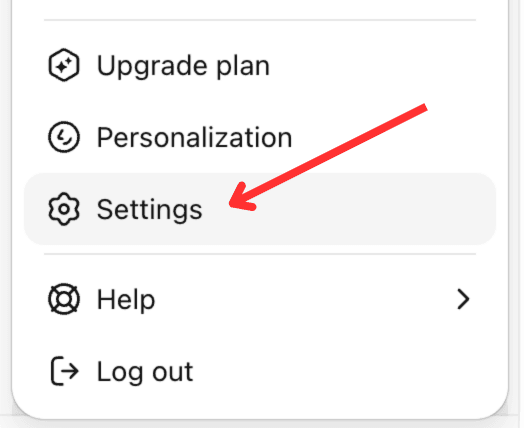
Step 1: Click profile → Settings 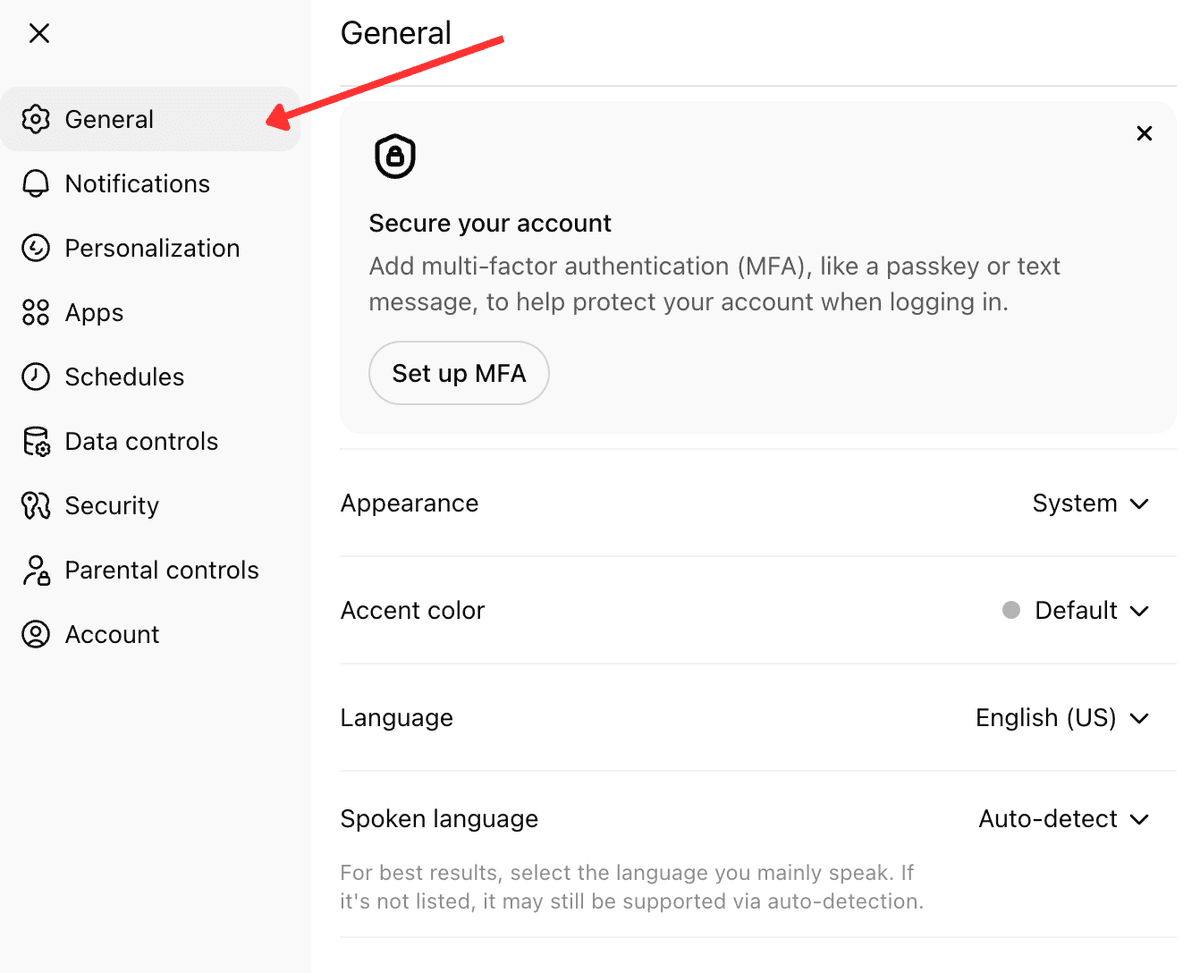
Step 2: Settings panel with sidebar 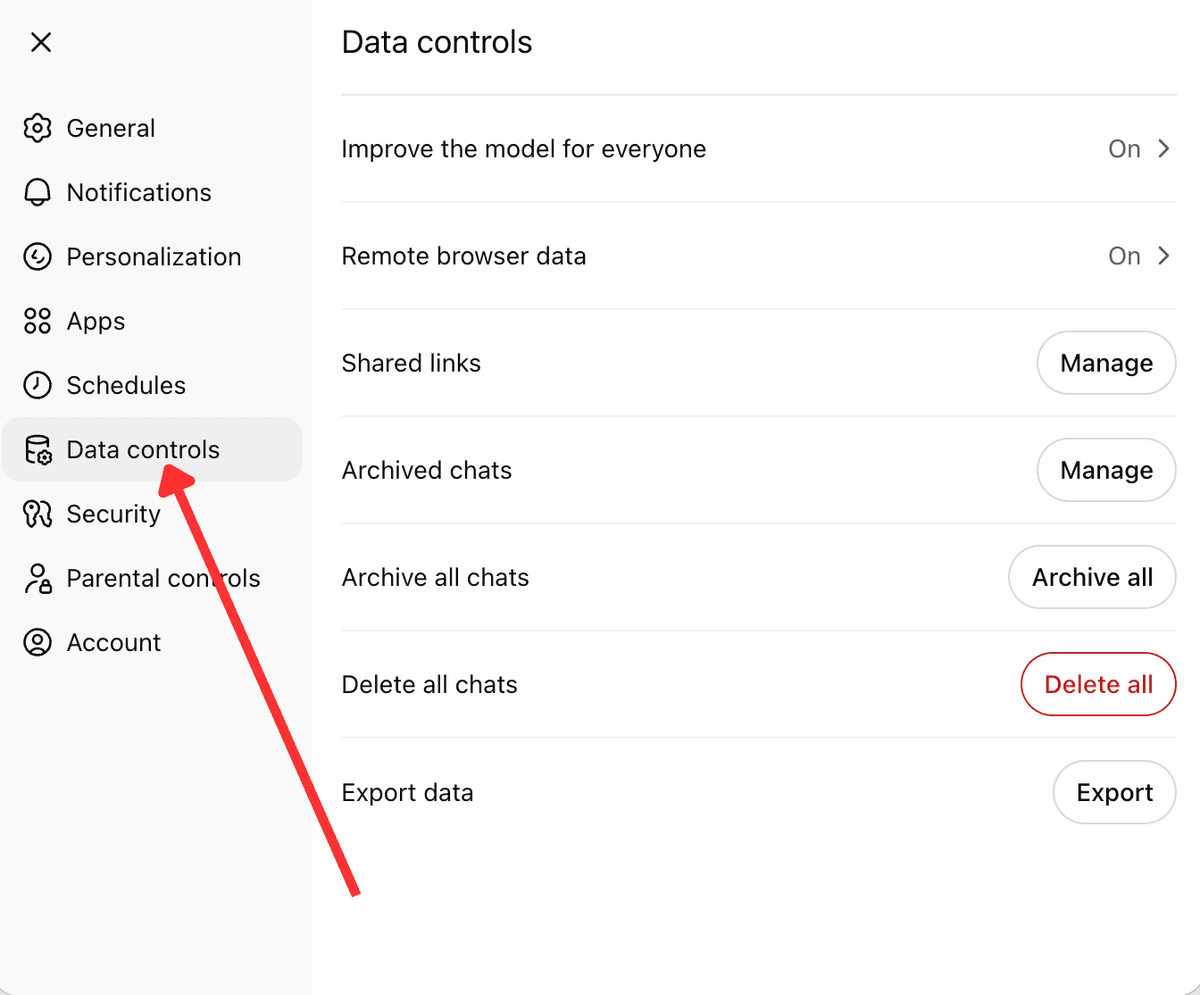
Step 3: Data controls → Export data 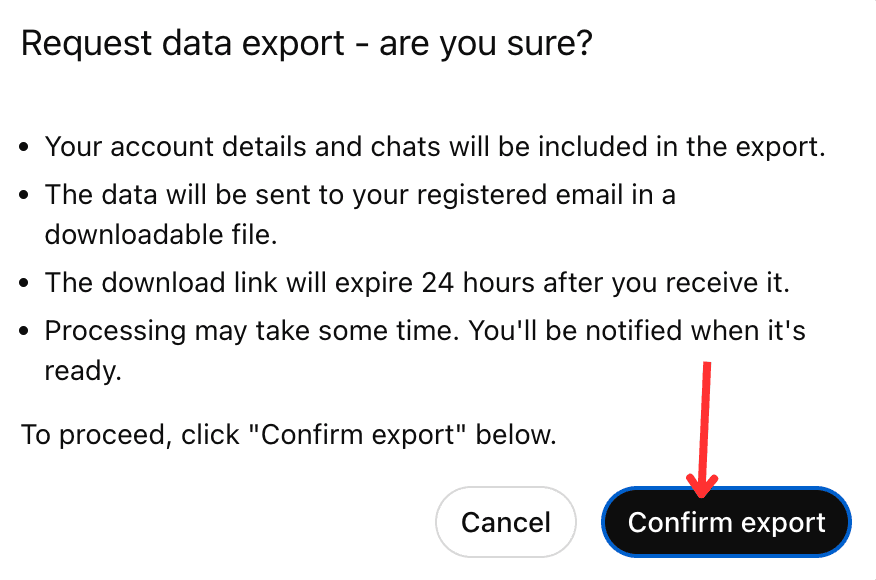
Step 4: Confirm export
From OpenAI API / JSON
If you used the ChatCompletion API, your logs are in JSON. Each message has role (user, assistant, system) and content. Extract user and assistant messages in order. Prefix system instructions with System: The Data Export conversations.json is nested—use a script to flatten it into an ordered list of messages.
Preparing and formatting the transcript
- Clean up: Remove irrelevant system messages, boilerplate, or verbose parts. Add a brief title or description if helpful.
- Maintain speaker labels: Label each message (e.g. "User: …" and "Assistant: …" or "System: …") so Perplexity understands who said what.
- Group Q&A: Keep each prompt paired with its answer. Prompts and responses should alternate logically.
- Handle media: Text exports lose images (only alt-text) and may simplify code. Attach images separately in Perplexity if needed.
- Trim or split: Very long chats may exceed Perplexity's context limits. Split into smaller chunks or summarize interim parts before pasting.
Importing into Perplexity
- Start a new thread: On the Perplexity website or app, open a new search/chat thread.
- Upload or paste: Use the "+ Attach" button to upload your text file (txt/MD) or PDF. Perplexity ingests short texts fully and summarizes longer ones. Or paste the cleaned transcript into the query field.
- Prompt continuation: After inputting the transcript, type a prompt like "Continue this conversation" or "Please continue the above Q&A from the user's last message." This cues Perplexity to pick up where you left off.
Preserving context, system messages & metadata
- System prompts: If the original chat had a hidden system or instruction prompt, include it at the top of the transcript so Perplexity has the same persona context.
- Timestamps/metadata: ChatGPT JSON includes timestamps; Perplexity doesn't need them. Note chat title or custom assistant name manually if important.
- Privacy filters: Remove or mask personal data before importing. Treat everything you type as potentially public.
Common pitfalls and troubleshooting
- Expired export link: The email link expires after ~24 hours. Redo the export if you miss it.
- Missing messages: Scroll to load the entire chat before exporting or copying. Very long history may load partially.
- Overly large files: Split the transcript into parts (e.g. per topic) or trim old material if upload fails.
- Formatting glitches: Check that code blocks, lists, and line breaks look correct. Add Markdown symbols manually if needed.
- Attachment limit: Perplexity free accounts may have daily upload limits or file size caps. Paste text instead of attaching if you hit a limit.
Privacy and security considerations
Your chat may contain personal or sensitive info. Uploading or pasting into Perplexity sends data to their servers (per their privacy policy). Do not include passwords, private keys, or identifiable personal data. Remove or anonymize anything sensitive. Treat the transcript as public or semi-public and sanitize before sharing.
More export guides
Move your ChatGPT conversations to other AI platforms: